July 18th, 2025
New

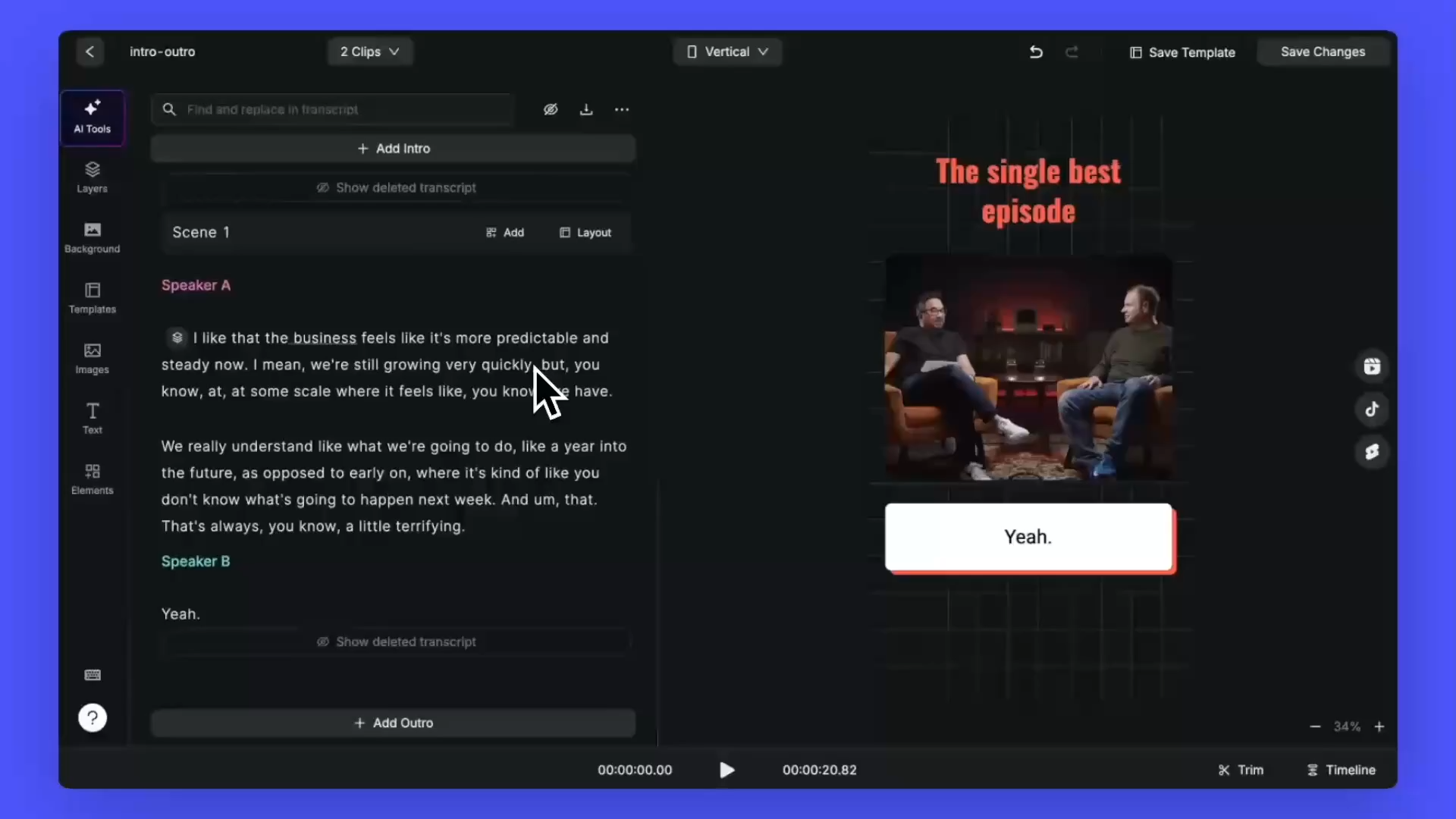
We’re excited to introduce a brand new feature: Intro and Outro support for your projects!
Now you can easily add an image or video clip at the beginning or end of your video. Just click ‘Add Intro’ or ‘Add Outro’, choose your media, set the duration, and you're done.
✅ Use intros as eye-catching covers for reels or shorts to grab attention instantly.
✅ Add branding with logos or taglines at the start or end of your videos.
✅ Include calls-to-action in outros — like “Subscribe,” “Visit our website,” or “Listen to more.”
✅ Create a consistent look across your content by using the same intro/outro in all your videos.
And the best part — once you've set it up, you can save everything as a template to reuse in future projects. That’s more time saved and less hassle!
Give it a try and let us know what you think.
February 28th, 2025
New

We’re excited to introduce a new feature that gives you even more control over your projects! 🎉
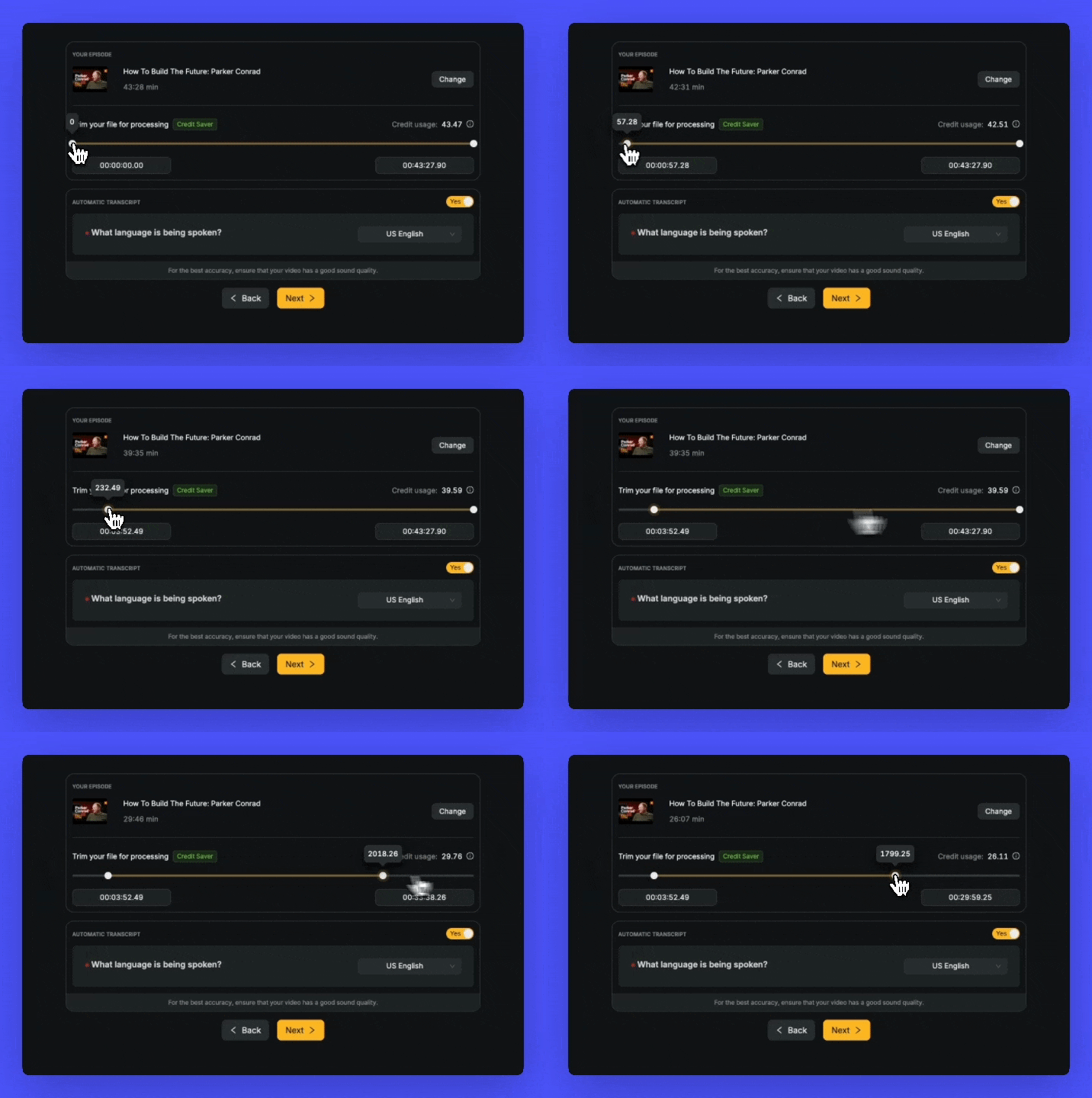
Now, when you upload a video or audio file, you can select only the portion you want to process instead of using credits for the entire file.
✅ Save credits – Only pay for what you process!
✅ Focus on the relevant part – No need to process the entire file if you only need a specific section.
✅ Faster results – Shorter processing time means you get your output quicker.
For example, if you upload a 1-hour file but only need the segment from 20 to 40 minutes, you can now select that portion and save 40 credits!
This update makes our platform even more efficient and cost-effective for you. Give it a try on your next project!
February 24th, 2025
New

We’re thrilled to announce a brand-new feature in Recast Studio that will take your video and image editing to the next level! 🎥✨
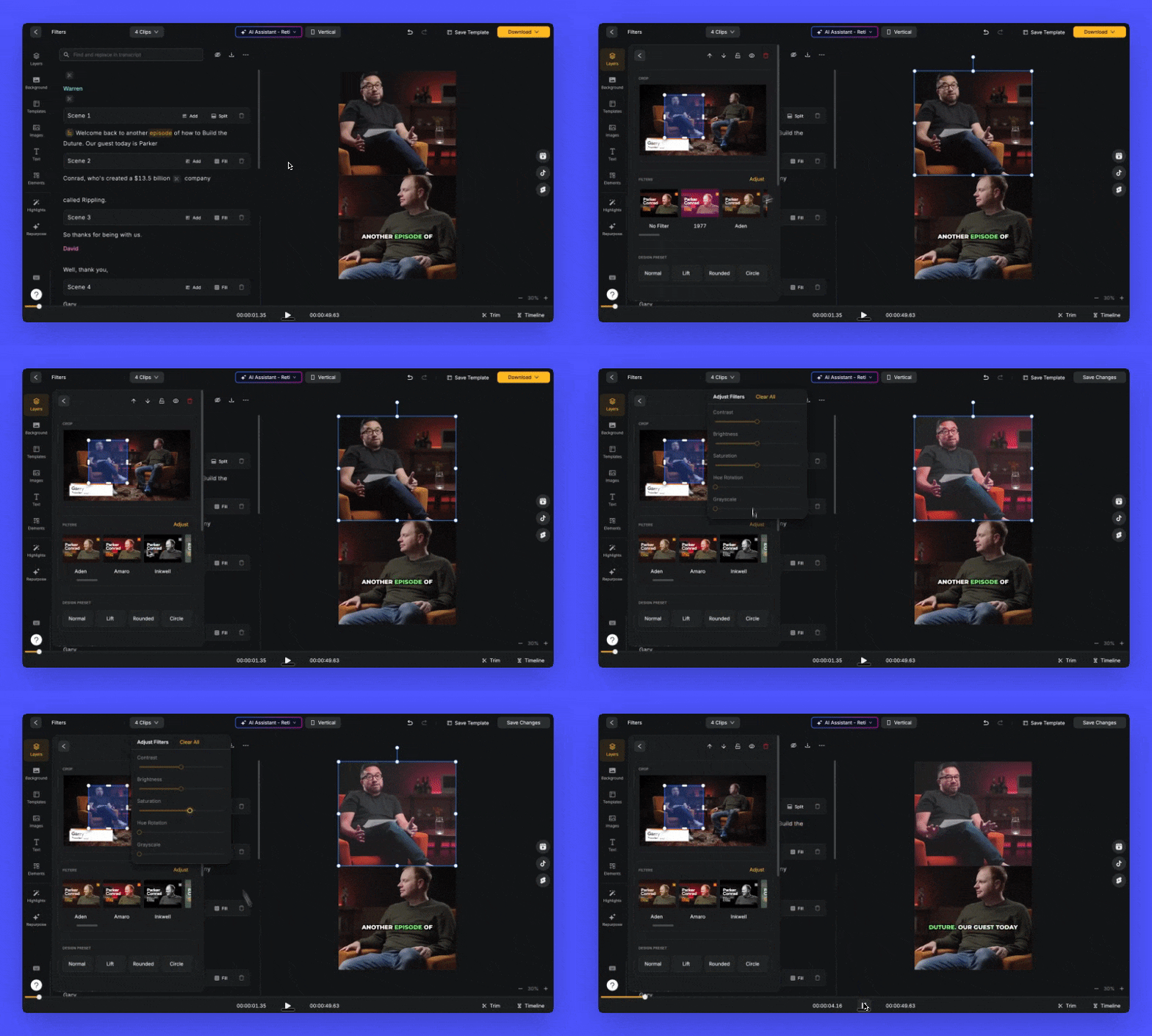
Now, you can easily apply filters to your videos and images directly within the platform. Whether you’re looking to add a cinematic vibe, enhance colors, or create a vintage look, our AI-powered filters make it simple and seamless to elevate your content.
Key Highlights:
Wide Variety of Filters: Choose from a diverse range of filters to match your creative vision.
Real-Time Preview: See the changes instantly as you apply filters to your videos and images.
Customizable Intensity: Adjust the strength of each filter to achieve the perfect effect.
We are looking forward to hearing your feedback.
February 3rd, 2025

Ever wished you could turn your articles, documents, or ideas into engaging lifelike podcast conversations? Now you can!
Introducing Podcast Maker: Your Personal AI Podcast Generator.
Convert any web page into a dynamic podcast
Transform PDF documents into audio conversations
Turn your written content into engaging dialogue
Generate natural-sounding conversations using advanced AI
1. Share your content (URL, PDF, or text)
2. Clone your own voice(coming soon)
3. Select speaker voices and other settings
4. Our AI creates a conversational script
5. Review and edit the script as needed
6. Generate audio from the Script
7. Download your podcast-ready audio